


4 Steps for Embedded UI Design
The concept of "Creating Intuitive Interfaces for Embedded Systems" highlights the importance of User Interface (UI) and User Experience (UX) in embedded systems, allowing users to effectively inte...

OLED – Choosing the best display for your application
In the current technological landscape, displays significantly influence user experience, power consumption, and device performance across various applications from smartphones to medical devices. ...
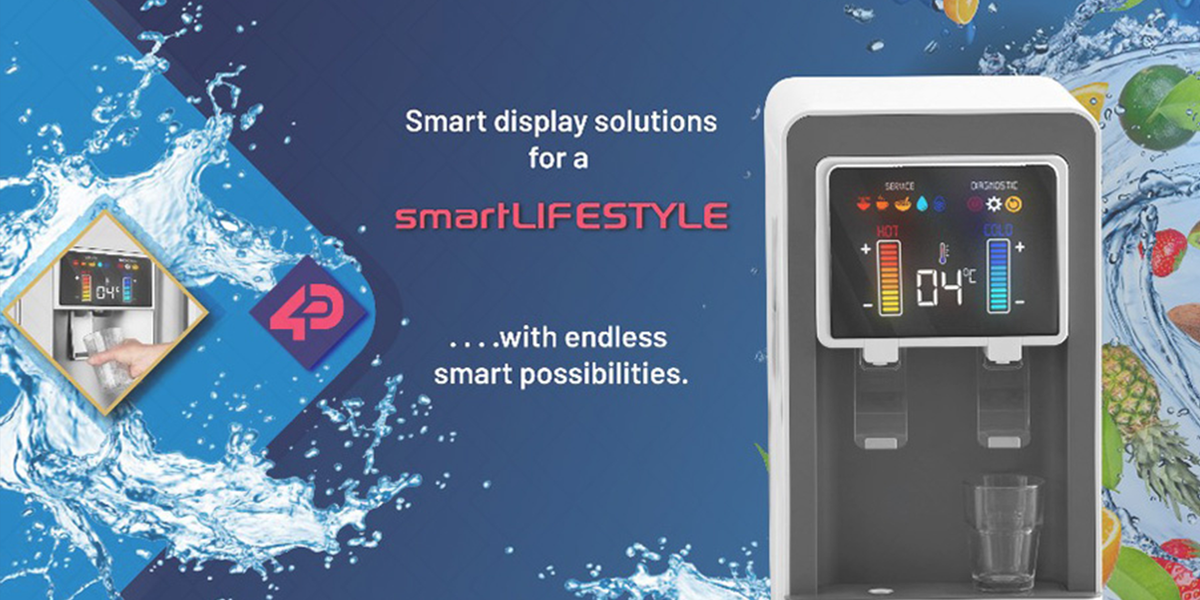
Smart Display Solutions Enhance Lifestyle Choices, Health and Safety
Touchscreens play a crucial role in our interaction with the digital world, being integrated in multiple aspects of our lives from public services to home appliances and wearables. While much of di...

Educational Primer Series: What is Pulse Width Modulation?
This blog illustrates how microcontrollers, integral to countless electronic devices, process and execute commands in various applications, from controlling TV remotes to operating car engines. It ...

Educational Primer Series: What is an Intelligent Display Microcontroller?
This blog illustrates how microcontrollers, integral to countless electronic devices, process and execute commands in various applications, from controlling TV remotes to operating car engines. It ...

Educational Primer Series: Avoiding Burn-in on an Intelligent Display
Burn-in on intelligent displays occurs when static images are continuously displayed, leading to permanent ghost images. This issue stems from overused pixels that lose intensity unevenly over time...

Educational Primer Series: Benefits of a Cover Lens Bezel
In today's technology era, the term "bezel" has expanded beyond jewelry to describe the border around device displays. Found in gadgets like mobiles, TVs, and tablets, bezels, particularly the inno...

Educational Primer Series: How to choose between capacitive and resistive touch displays
Navigating the realm of touch displays can be tricky, especially when choosing between capacitive and resistive screens, each housing unique attributes. While resistive displays are cost-effective,...
Educational Primer Series: Benefits of Resistive Touchscreens
Resistive touchscreens are a durable, cost-effective touch technology solution, adept in harsh environments. These screens respond to both fingertips and styluses, suited for use with gloves—ideal ...

Educational Primer Series: Benefits of Capacitive Touchscreens
Capacitive touchscreens, activated by a finger's conductive touch, are lauded for their durability, high-quality display, and ease of use. Unlike resistive touchscreens, they require no pressure, o...
Educational Primer Series: How does an LCD Work
Dive into the world of Liquid Crystal Display (LCD) technology, uncovering its foundation, structure, and operational mechanics. From its inception in 1888 to being a screen powerhouse in a myriad ...

Educational Primer Series: What does TFT Mean
Explore the essence of Thin Film Transistor (TFT) technology in digital displays. Delve into its working principle, advantages like energy efficiency and sharper visibility, and limitations such as...

Educational Primer Series: Intelligent Display 101
Intelligent Display technology transitions static screens to interactive interfaces, enhancing human-machine interaction across multiple devices. These displays, outfitted with touchscreen and EMC ...

Why choose 4D for your next project?
For over 15 years, 4D Systems has stood as a pioneering provider of intelligent display and graphics solutions, well-regarded for its agility in embracing diverse projects across industries. Our cl...

How innovators are accelerating product development using commodity SBCs and display modules
Over the last decade, the surge in consumer electronics has been propelled by advancements in 3D printing and online design communities, simplifying prototype creation for both professionals and no...
Innovative Display Solutions


Frequently Asked Questions
Find quick answers about our display modules, embedded integration, customization capabilities, and system compatibility.

How do I choose the right display module for my project?
Start by identifying the demands of your product environment: required screen size, touch capability, operating conditions and UI complexity. Our consistent form-factor families allow you to select a module that fits your constraints today and upgrade performance later without redesigning your enclosure or PCB. Our documentation hub provides comparison tables to assist selection.
What is the difference between a smart display and a host-driven display?
Smart displays include an onboard processor that handles graphics, widgets, UI logic and drawing commands internally. This reduces load on your host MCU, simplifies code and often shortens development time dramatically. Host-driven modules require the host MCU to manage everything, which may be appropriate for minimal UIs but introduces more integration work.
Can I upgrade processors without changing my enclosure or PCB?
Yes. Our architecture is deliberately designed around footprint consistency. Most display families maintain identical mechanical and electrical footprints across multiple processor types, enabling generation-to-generation performance improvements without mechanical redesign.
Do you offer non-touch and touch options?
Yes. Many display families provide variants for non-touch, resistive-touch and capacitive-touch configurations. Capacitive-touch variants are recommended for modern, responsive UI experiences.
INDUSTRIES WE SERVE
Across all industries, engineers want clarity, stability, and intelligent embedded design.
We design solutions that align with how engineering teams work. Our approach reduces redesigns, supports multiple processors with the same form factor, and integrates cleanly with existing hardware.


