


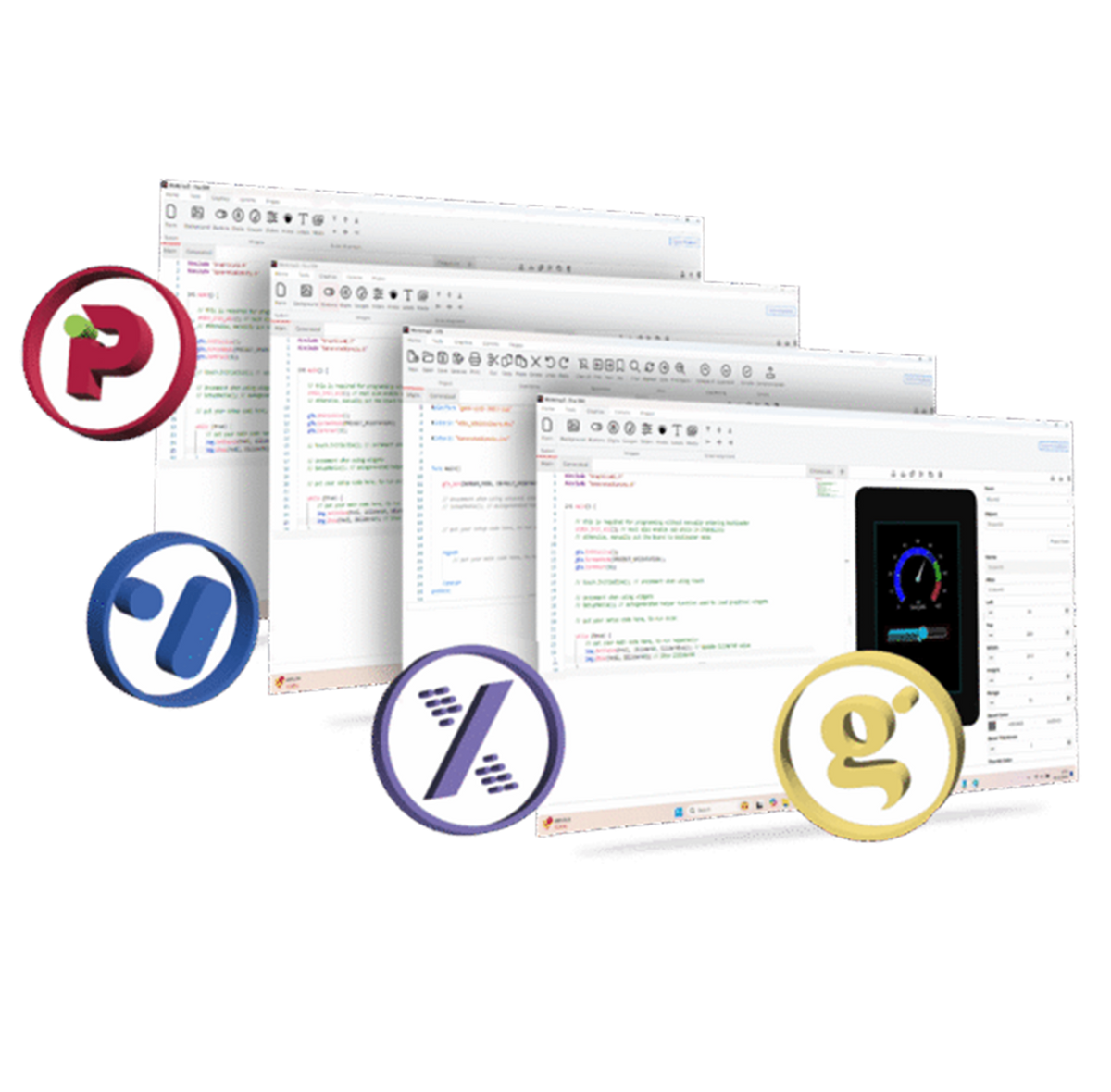
Workshop5
Workshop5 IDE builds on the trusted foundation of Workshop4, delivering a more advanced, flexible, and intuitive environment for developing GUIs on 4D Systems displays. Designed to support faster and more efficient embedded graphics development, it introduces enhanced tools, optimised workflows, and broader capabilities.
Workshop5 is fully compatible with 4D Systems’ range of processors and modules, providing engineers with greater control, performance, and ease of integration across a wide variety of applications.
Free
Workshop5 is a comprehensive software integrated development environment (IDE) for Microsoft Windows. It provides a unified platform for working with the 4D Systems family of processors and modules.This IDEoffers three primary development environments for 4D Systems core display modules and an additional environment for RP2350 displays
Visi, Genie, Extended, Pico SDK
Choose the Right Environment for Your Needs
Workshop5 is not one-size-fits-all; it provides four distinct development environments. You can choose based on the specifics of your project or your familiarity with the tools, ensuring that there is an environment that’s right for you.

A visual programming experience, suitably called ViSi, enables the drag-and-drop placement of widgets to assist with 4DGL code generation.
This allows the user to visualise how the display will look while being developed and provides direct control over all display modules powered by 4D Labs processors.

Genie environment (Coming Soon) doesn’t require 4DGL coding; it is all done for you. Lay out the display with the widgets you want, set the events to drive them, and the code will be generated for you automatically. Genie provides the latest rapid development experience from 4D Systems.
An advanced feature, Genie Magic, allows users to add custom code to the generated Genie code, further expanding the possibilities.

The Extended environment (Coming Soon) provides an alternative development experience compared to 4DGL programming by using the Serial (SPE) libraries for the 4D Labs processor in the display. The Serial (SPE) library offers a variety of commands that connect a host controller, such as an Arduino, to 4D Systems displays, enabling direct control over the graphical user interface.

The Pico environment provides support for the Raspberry Pi RP2350 microcontroller and, thus, the 4D Systems0 gen4-RP2350 Series. Like ViSi, this environment is perfect for those who want to perfect their graphical designs before moving into their projects’ core functionality.
It allows users to develop applications entirely within the IDE or continue to use their preferred IDEs, which may offer more functionalities to advanced users.


Workshop4 vs Workshop5
Workshop4 vs Workshop5
Workshop5 is designed as the successor to the popular Workshop4. This new version offers a fresh interface and enhanced support for graphical programming with 4D display modules, while retaining the familiar environments and functionality of Workshop4. Workshop5 supports all existing Workshop4 environments, introducing significant improvements and new features.
In Workshop4, users worked with four main environments — Designer, ViSi, ViSi-Genie, and Serial — alongside two Arduino environments, Basic Graphics and Extended Graphics.
Workshop5 simplifies and consolidates these environments for a streamlined user experience:
- Designer and ViSi: these are now merged into the new ViSi environment in Workshop5. In Workshop4, both Designer and ViSi enabled programming of display modules directly using 4DGL code, with ViSi offering a graphical editor or WYSIWYG tool for user interface design.
- ViSi-Genie: This environment, often referred to as “Genie,” will continue as the Genie environment in Workshop5. It retains the codeless GUI project creation capability and offers enhanced flexibility with the optional Genie Magic feature, allowing users to integrate custom 4DGL code.
- Serial, Arduino Basic/Extended Graphics: These are planned as part of the Workshop5 Extended environment, transforming 4D displays into Serial UART-controlled modules. This environment also includes support for Arduino Basic and Extended Graphics.
Workshop5 introduces new widgets and adapts some from Workshop4, offering compatibility with current internal widgets available in PIXXI-28, PIXXI-44, and DIABLO-16 displays, as well as new GCI-based widgets that can be loaded from external storage (e.g., microSD or external flash chips).
| Workshop 4 | Workshop 5 | |
|---|---|---|
| Environments | Designer ViSi |
ViSi |
| ViSi-Genie | Genie | |
| Serial Arduino Basic Arduino Extended |
Extended | |
| Pico | ||
| Supported Processors | DIABLO-16 | DIABLO-16 |
| PIXXI-28 | PIXXI-28 | |
| PIXXI-44 | PIXXI-44 | |
| PICASO | PICASO | |
| GOLDELOX | ||
| ESP32-S3 | ||
| RP2350 | ||
| ESP32-P4 |
- Workshop5 does not support Goldelox display modules or any modules that have reached end-of-life status or are not recommended for new designs.
- The Genie and Extended environments will be available in future updates.
- While Workshop5 offers a powerful platform for new projects, it is recommended that users continue using Workshop4 for active projects, as Workshop4 projects are not compatible with Workshop5.

Workshop5: Next-Generation of Embedded GUI Design
Workshop5 IDE streamlines embedded GUI design with improved performance, flexible workflows, and advanced widget support.
Resources

Frequently Asked Questions
Find quick answers about our display modules, embedded integration, customization capabilities, and system compatibility.

How do I choose the right display module for my project?
Start by identifying the demands of your product environment: required screen size, touch capability, operating conditions and UI complexity. Our consistent form-factor families allow you to select a module that fits your constraints today and upgrade performance later without redesigning your enclosure or PCB. Our documentation hub provides comparison tables to assist selection.
What is the difference between a smart display and a host-driven display?
Smart displays include an onboard processor that handles graphics, widgets, UI logic and drawing commands internally. This reduces load on your host MCU, simplifies code and often shortens development time dramatically. Host-driven modules require the host MCU to manage everything, which may be appropriate for minimal UIs but introduces more integration work.
Can I upgrade processors without changing my enclosure or PCB?
Yes. Our architecture is deliberately designed around footprint consistency. Most display families maintain identical mechanical and electrical footprints across multiple processor types, enabling generation-to-generation performance improvements without mechanical redesign.
Do you offer non-touch and touch options?
Yes. Many display families provide variants for non-touch, resistive-touch and capacitive-touch configurations. Capacitive-touch variants are recommended for modern, responsive UI experiences.